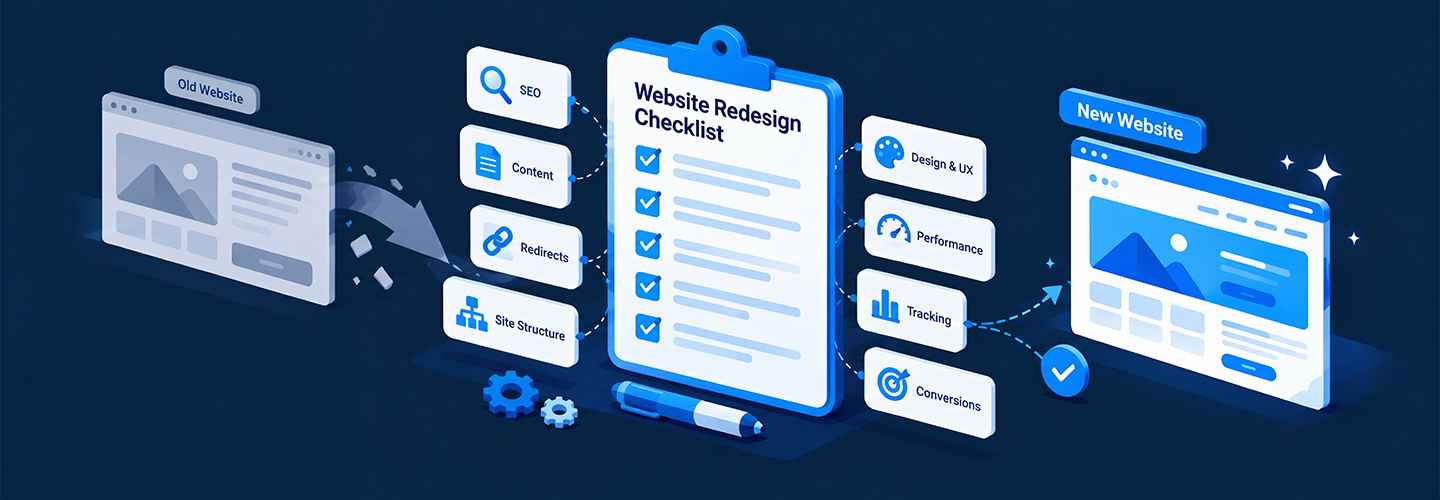
A website redesign is a complete overhaul of your site's structure, technology, visual branding, and user experience to improve performance and meet new business goals. A successful redesign should improve user experience, strengthen search visibility, increase conversions, improve website performance, and make the site easier to manage.
However, even a skillfully designed website can lose traffic, rankings, leads, and revenue if the launch is not properly planned. Broken links, missing redirects, duplicate pages, incorrect metadata, indexing problems, and lost content can create serious issues after launch.
That is why having a detailed website checklist is essential. Before your new website goes live, every technical, SEO, content, design, and conversion element needs to be reviewed carefully.
Here is a detailed checklist that will help you launch your new website:
SEO Website redesign checklist
A website redesign can improve your user experience and visual identity, but it can also hurt your search rankings if SEO isn’t considered before launch.
Here is a checklist you can use to protect your existing organic traffic and make it easier for search engines to understand your new website:
- Crawl the existing website: Create a list of your current URLs, title tags, meta descriptions, headings, indexed pages, and important content before making changes.
- Audit your current SEO performance: Identify your top-performing pages, organic traffic sources, ranking keywords, backlinks, and pages generating leads or conversions. These pages deserve special attention during the redesign.
- Create a URL redirect map: If URLs are changing, map every old URL to its most relevant new URL and implement 301 redirects. Avoid redirecting large groups of unrelated pages to the homepage.
- Preserve valuable content: Don’t remove high-performing pages or useful content simply because the new design is more minimal. If content must be removed, assess its traffic, rankings, backlinks, and search intent first.
- Update internal links: Check that navigation menus, contextual links, breadcrumbs, and other internal links point to the correct new URLs.
- Review title tags and meta descriptions: Make sure important pages have unique, descriptive titles and meta descriptions aligned with their search intent.
- Check headings and on-page content: Maintain a logical heading structure and ensure each important page clearly communicates its primary topic.
- Check structured data: If the old website uses schema markup, verify that relevant structured data has been carried over and remains valid.
Website migration SEO checklist
A website migration involves more than moving pages to a new design, CMS, domain, hosting platform, or URL structure. Without proper SEO planning, a migration can lead to broken links, lost rankings, indexing issues, and a significant drop in organic traffic. Complete these steps before and immediately after launching your new website.
- Create a URL redirect map: Map old URLs to their relevant new URLs and implement 301 redirects for changed or removed pages.
- Preserve SEO elements: Carry over important content, title tags, meta descriptions, headings, canonical tags, and structured data.
- Update internal links: Make sure internal links point directly to the new URLs and don’t lead to broken or redirected pages.
- Check crawlability and indexation: Verify robots.txt, XML sitemap, and canonical tags, settings before launch.
- Test the new website: Crawl the staging site to find broken links, redirect errors, missing pages, and technical SEO issues.
- Monitor after launch: Check organic traffic, rankings, indexed pages, and crawl errors closely after the migration.
- Fix broken links and 404 errors: Crawl the redesigned site before launch to identify broken internal links, missing assets, incorrect redirects, and unnecessary 404 pages.
By planning your content, SEO, redirects, tracking, and technical checks before launch, you can minimize disruptions and give your new website a stronger foundation for long-term growth.
Reviewing site structure and navigation
A clear site structure and intuitive navigation are essential for creating a website that is easy for both users and search engines to understand. Before launching a redesigned website, organize pages into logical categories and create a simple hierarchy that allows visitors to find important information with minimal clicks.
Keep the main navigation focused on key pages such as products or services, about, resources, and contact, while using descriptive labels that clearly indicate what users will find on each page. Include internal links, breadcrumbs, and relevant calls to action where they improve the user journey, and make sure the navigation works consistently across desktop and mobile devices.
During a redesign, review the existing site structure carefully before changing URLs or removing pages. Important pages should remain easy to access and should not become isolated from the rest of the website.
A well-organized structure also helps search engines discover and understand relationships between pages, which can support better crawling and indexing. Test the new navigation before launch by checking menus, dropdowns, internal links, breadcrumbs, and search functionality for usability issues or broken links. Keeping the structure simple, consistent, and scalable will make it easier to add new content as the website grows.
Optimize conversions
A website redesign should do more than create a fresh and modern appearance, it should guide visitors toward meaningful actions that support your business goals. Before launch, review every major conversion path, including contact forms, service pages, product pages, landing pages, booking forms, and checkout processes.
Make CTAs clear and easy to find, reduce unnecessary form fields, provide relevant trust signals such as testimonials and reviews, and ensure visitors can quickly understand what you offer and what they should do next.
The redesigned website should also make it easy for users to contact your business through their preferred method, whether that means submitting a form, making a call, booking an appointment, or completing a purchase.
Set up conversion tracking before launch so you can measure actions such as form submissions, purchases, downloads, sign-ups, and phone calls. This data will help you understand whether the redesign is actually improving business results rather than simply changing the visual appearance of the site.
Website redesign services
Professional website redesign services help businesses transform outdated websites into modern, responsive, user-friendly, and SEO-friendly digital experiences. A redesign typically starts with an audit of the existing website to identify issues with design, navigation, content, mobile responsiveness, page speed, accessibility, and search performance.
Based on these findings, redesign professionals can develop a new website structure and visual experience that aligns with the brand, target audience, and business objectives. Services may include UX/UI design, responsive web development, content restructuring, technical SEO, performance optimization, conversion-focused design, and integration with essential business tools.
A well-planned website redesign should improve more than just the appearance of a website. It should make it easier for visitors to find information, take action, and interact with the business across different devices. Professional redesign services can also help protect existing SEO value by preserving important pages, optimizing site architecture, setting up 301 redirects, updating internal links, and transferring essential metadata and tracking tools.
Before launch, the redesigned website should be thoroughly tested for broken links, usability issues, loading speed, mobile performance, forms, analytics, and search engine accessibility. With the right strategy and implementation, a website redesign can create a stronger foundation for better user engagement, improved conversions, and sustainable online growth.
Conclusion
A successful redesign is not just about creating a modern looking website. The new site needs to preserve valuable content, provide clear navigation, perform well across devices, maintain its technical SEO foundation, and continue supporting important conversion paths.
Your redesign checklist should be used throughout the redesign process rather than only on launch day. When these fundamentals are handled correctly, you can introduce a better website experience while protecting the SEO value, traffic, and conversions your existing website has already built.